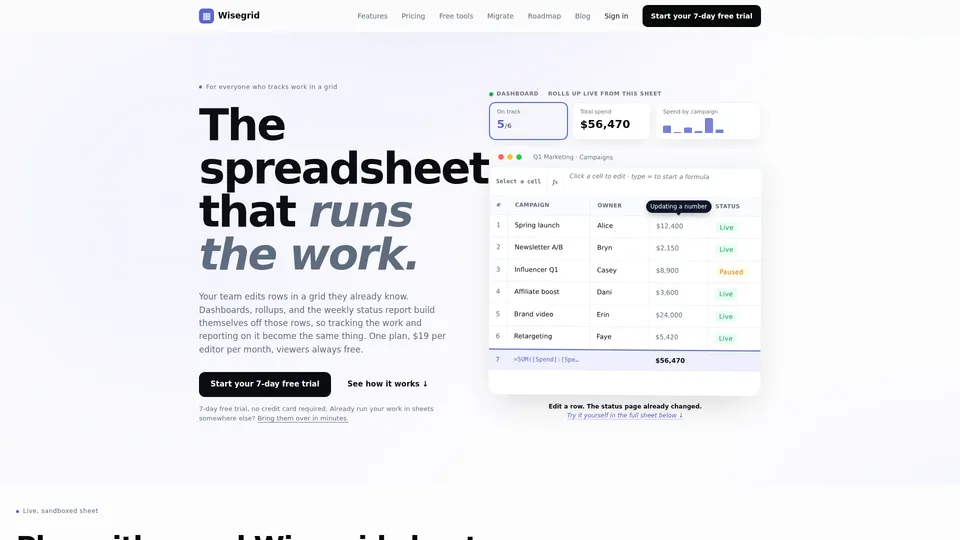
Wisegrid is a unique platform that combines the familiarity of a spreadsheet with the power of a modern workflow management tool. It's designed for teams who already rely on spreadsheets to track their work but are frustrated with the limitations of traditional methods. Imagine a world where updating a single row automatically reflects in all your connected dashboards and reports. That's the power of Wisegrid. It's ideal for marketing teams, project managers, operations specialists, and anyone who needs a centralized, transparent view of their work. Instead of exporting data, creating separate reports, and struggling to keep everything aligned, Wisegrid provides a single source of truth, dynamically updating as your team progresses. The platform’s core value proposition is to simplify work tracking and reporting, empowering teams to focus on execution rather than tedious administrative tasks. It aims to replace the scattered spreadsheets and manual processes with a single, integrated solution.
Features
Wisegrid offers a range of features designed to streamline your workflow:
- Live Grid Editing: The core of Wisegrid is its interactive grid. Team members can directly edit rows, just like they would in a spreadsheet. Changes are instantly reflected across all connected dashboards and reports.
- Automated Rollups: Wisegrid automatically calculates totals, averages, and other key metrics based on the data in your grid. No more manual calculations or complex formulas – everything updates in real-time.
- Dynamic Dashboards: Visualize your data with interactive dashboards that are automatically generated from your grid data. Customize these dashboards to highlight the information most important to you and your team.
- Automated Reporting: Say goodbye to manual report creation. Wisegrid generates reports automatically, based on the data in your grid. Schedule regular reports to be sent to stakeholders, keeping everyone informed.
- Data Migration: Easily import your existing spreadsheet data into Wisegrid. The platform supports various formats, making the transition seamless.
- Formula Support: Utilize familiar spreadsheet formulas to perform calculations and manipulate data directly within the grid.
- Cell-Level Editing: Click a cell to edit directly, and use simple syntax to start formulas, providing a familiar and intuitive experience.
- Campaign Tracking: Specifically designed for campaign management, allowing for detailed tracking of spend, status, and owner for each campaign.
- Roadmap Integration (Planned): Future plans include integrating with popular project management tools and roadmapping software.
- Free Tools & Integrations: Wisegrid is designed to work seamlessly with other tools you already use.
Usage
Getting started with Wisegrid is simple. First, sign up for a 7-day free trial (no credit card required). Once you’ve created your account, you can either start with a blank grid or import your existing spreadsheet data. To add data, simply start typing in the grid – each row represents a task or item, and each column represents a different attribute (e.g., status, owner, spend). To create a dashboard, select the data you want to display and choose a visualization type (e.g., bar chart, pie chart, table). Wisegrid will automatically generate a dashboard based on your selections. To generate a report, select the data you want to include and choose a report format (e.g., PDF, CSV). Schedule the report to be sent automatically to your team or stakeholders. For example, a marketing team could use Wisegrid to track campaign spend, update statuses, and generate weekly performance reports, all from a single spreadsheet.
Pricing
Wisegrid operates on a simple pricing model. There is one plan available at $19 per editor per month. Viewers are always free, making it ideal for teams of all sizes. A 7-day free trial is available to allow users to explore the platform's functionality before committing to a subscription. Wisegrid aims to provide accessible and transparent pricing, ensuring that teams can benefit from streamlined work management without breaking the bank. The focus is on value and ease of use, with the belief that efficient workflow management should be available to everyone.